IUSafe
A mobile app designed to enhance campus safety by providing students with real-time alerts, a buddy system, and easy access to essential safety resources
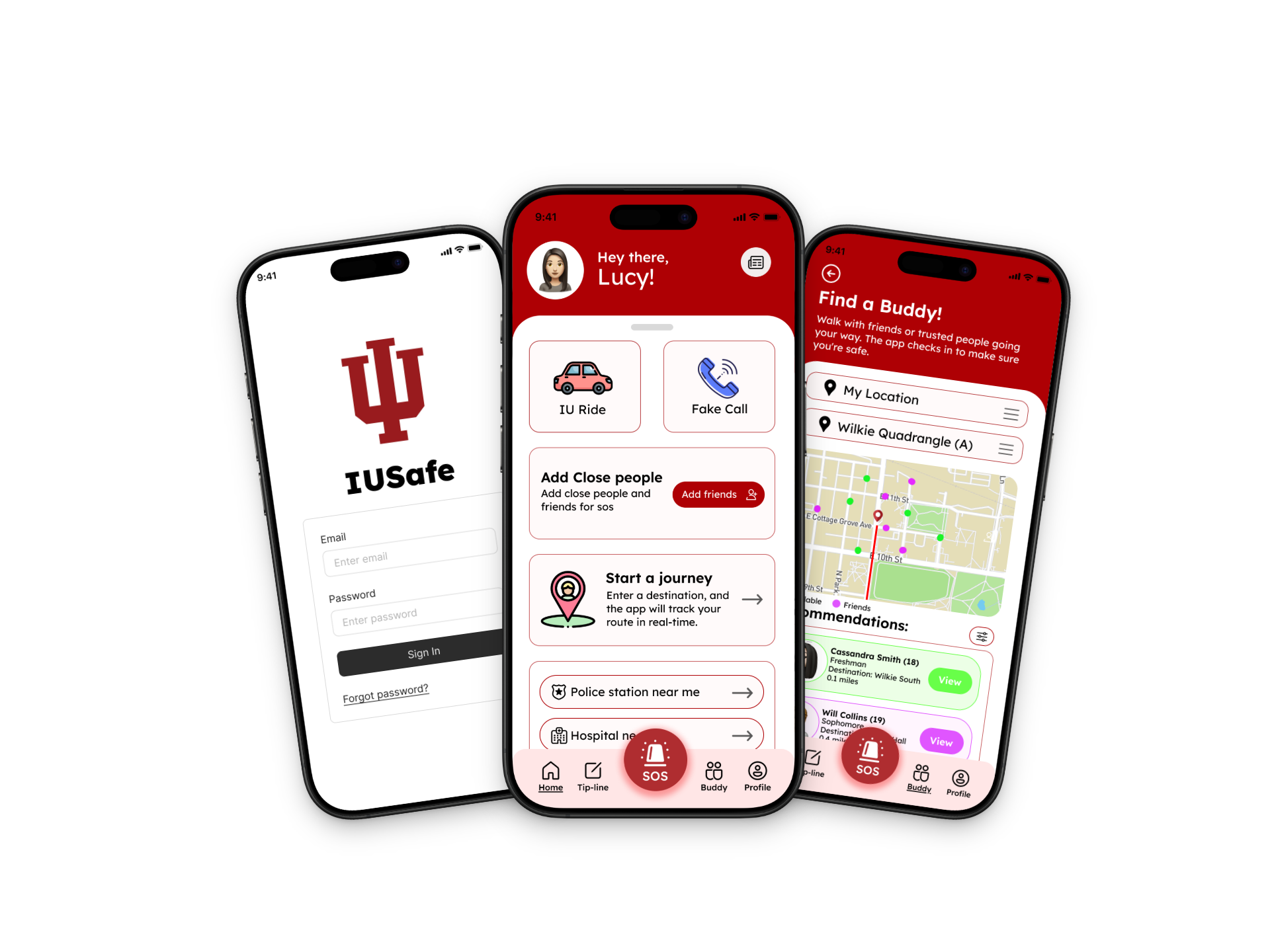
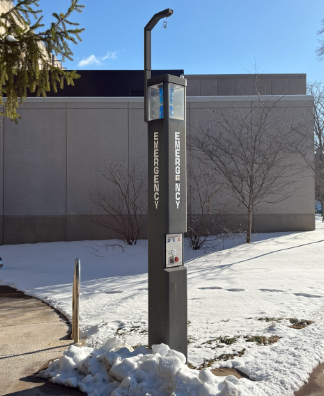
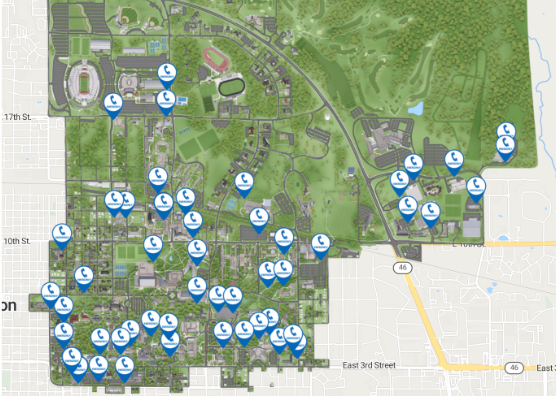
Challenge: Students often struggle with a lack of centralized safety information, making it hard to access available resources. Many are unaware of nearby features like emergency stations or safe routes, and real-time incident updates are often scattered or delayed. This leads to increased anxiety and a stronger sense of vulnerability.
Solution: A centralized mobile app that provides real-time safety alerts, a buddy system for walking with friends virtually, interactive maps of safe routes and blue light stations, a campus crime map, and quick access to emergency contacts.
Deliverables: UX research, user interviews, wireframes, user flows, mobile app prototype, safety feature concept design.
Team:
Sam Popek, Sui Sung, Kerem Keskin
Tools:
Figma, FigJam, Miro
Timeline:
Jan - May 2025
Role:
UX Designer, Product Designer
OVERVIEW
IUSafe is a team project developed during my senior year in my Human-Computer Interaction (HCI) class. The goal of the project was to explore how technology could help improve safety for the Indiana University community. As a team, we researched current campus safety tools and discussed challenges students face when trying to stay informed about incidents or navigate campus safely. Based on our findings, we designed a mobile app concept that combines existing university safety resources with new features to make information more accessible and easy to use.
The app includes tools such as real-time safety alerts, a buddy system for safer walks, interactive maps showing safe routes and blue light stations, a campus crime map, and quick access to emergency contacts. This project focused on applying user-centered design principles to create a simple and practical solution that could help students feel safer on campus.
STAKEHOLDERS
Why these users?


Students (Primary Users) - They need features like emergency alerts, location tracking, quick access to campus security, and reporting tools to feel safer and more informed.
Parents - Providing them with access to alerts, emergency contacts, and general campus safety updates can give them peace of mind.
Authorities/Faculties - May want to report incidents or stay informed about threats, while campus authorities need tools for monitoring, responding to emergencies, and communicating with the student body effectively.
Existing Solutions
(Secondary Research)
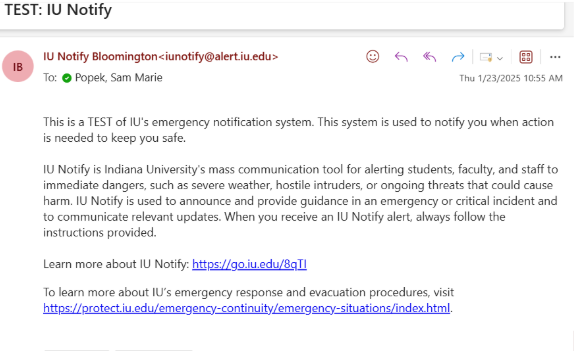
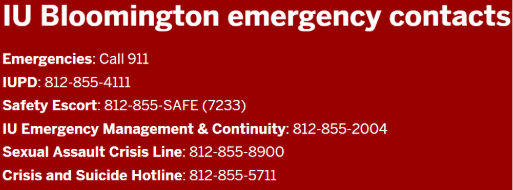
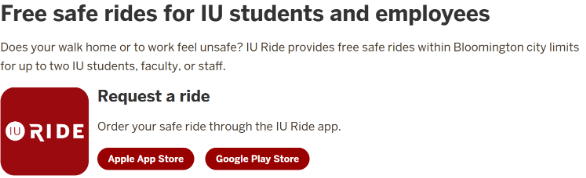
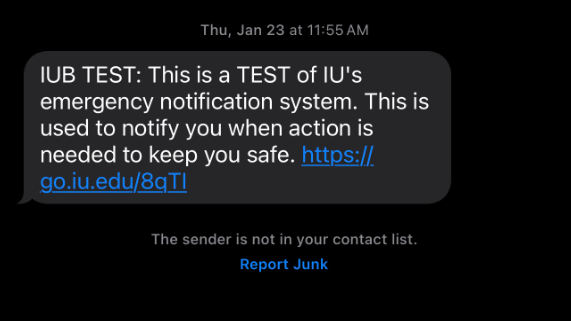
SafeRide (IU Transportation Service)
A free late-night ride service for students feeling unsafe walking alone
IU Police Department (IUPD)
24/7 campus police presence, crime reporting, and safety resources
IU Safety Websites
IU has a website listing emergency contacts, safety protocols, and campus security information
User Interviews
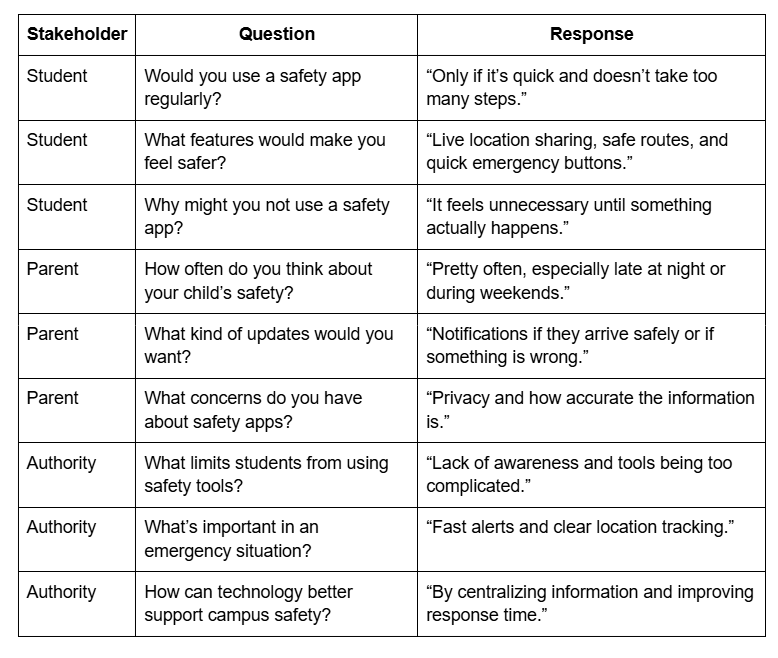
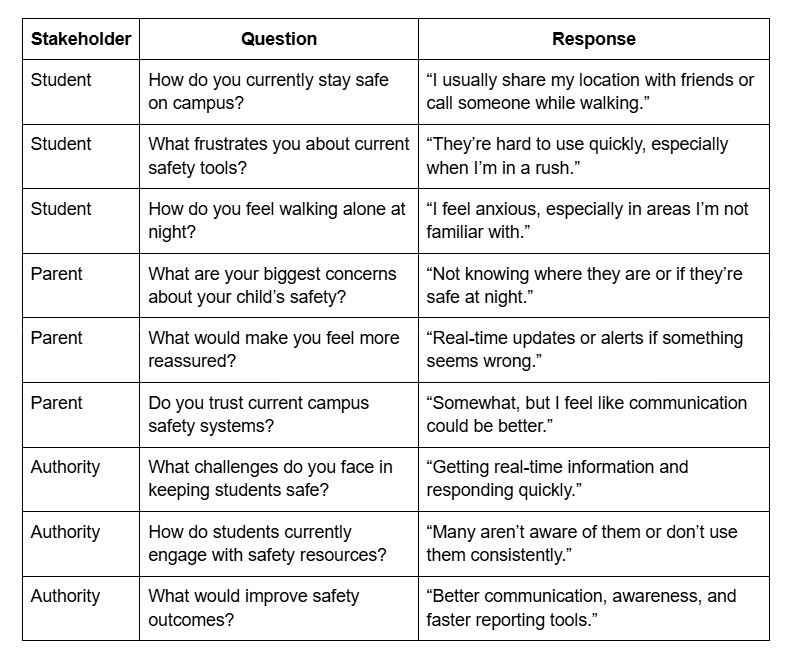
Each team member interviewed a different stakeholder group to understand campus safety from multiple perspectives. I interviewed students about their experiences and safety concerns on campus. Kerem interviewed parents to learn what would help them feel more informed about their child’s safety. Sui interviewed university authorities and faculty to understand how safety information is currently managed and communicated. These interviews helped guide the design of the IUSafe app.
Key Takeaways
(Students)
Unclear Communication
Students find IU’s safety alert texts and emails to be vague and not always helpful.
Nighttime Safety Concerns
All users expressed feeling less safe on campus at night, with freshmen particularly anxious when walking back to dorms after evening classes.
Limited Use of Safety Features
None of the interviewed students had used existing safety tools, often due to not knowing how or where to access them.
(Parents and Authorities/Faculty)
Safety Concerns at Night
Parents are most concerned about their child’s safety during nighttime, especially when walking alone after late classes.
Need for Timely Communication
Parents want immediate and clear communication in case of an emergency, preferring text messages or phone calls with real-time updates.
Support for Safety Solutions
Parents/Faculty are open to students using both a buddy system and a safety app. They see these tools as effective ways to enhance their child’s safety and provide peace of mind.
User Personas
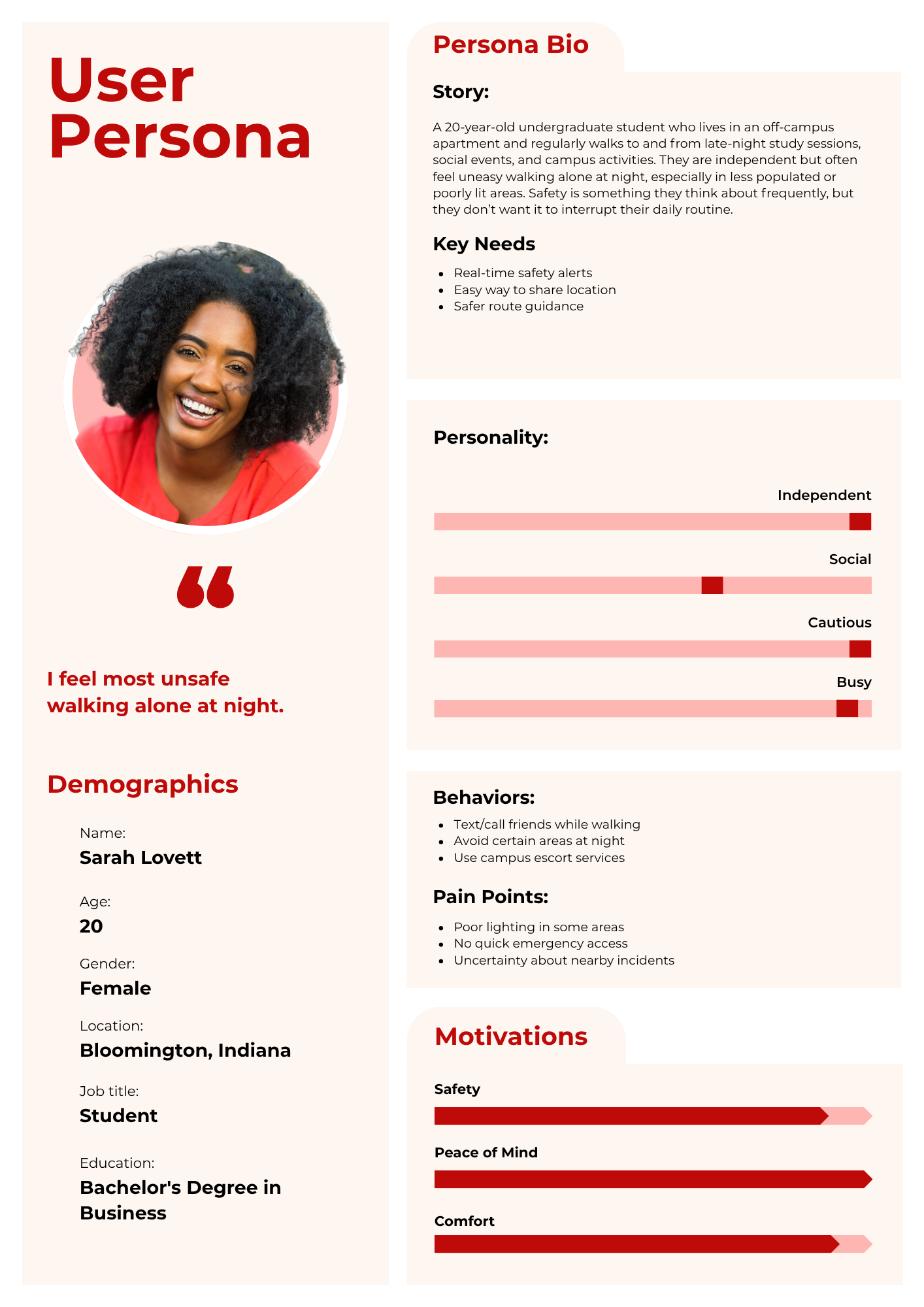
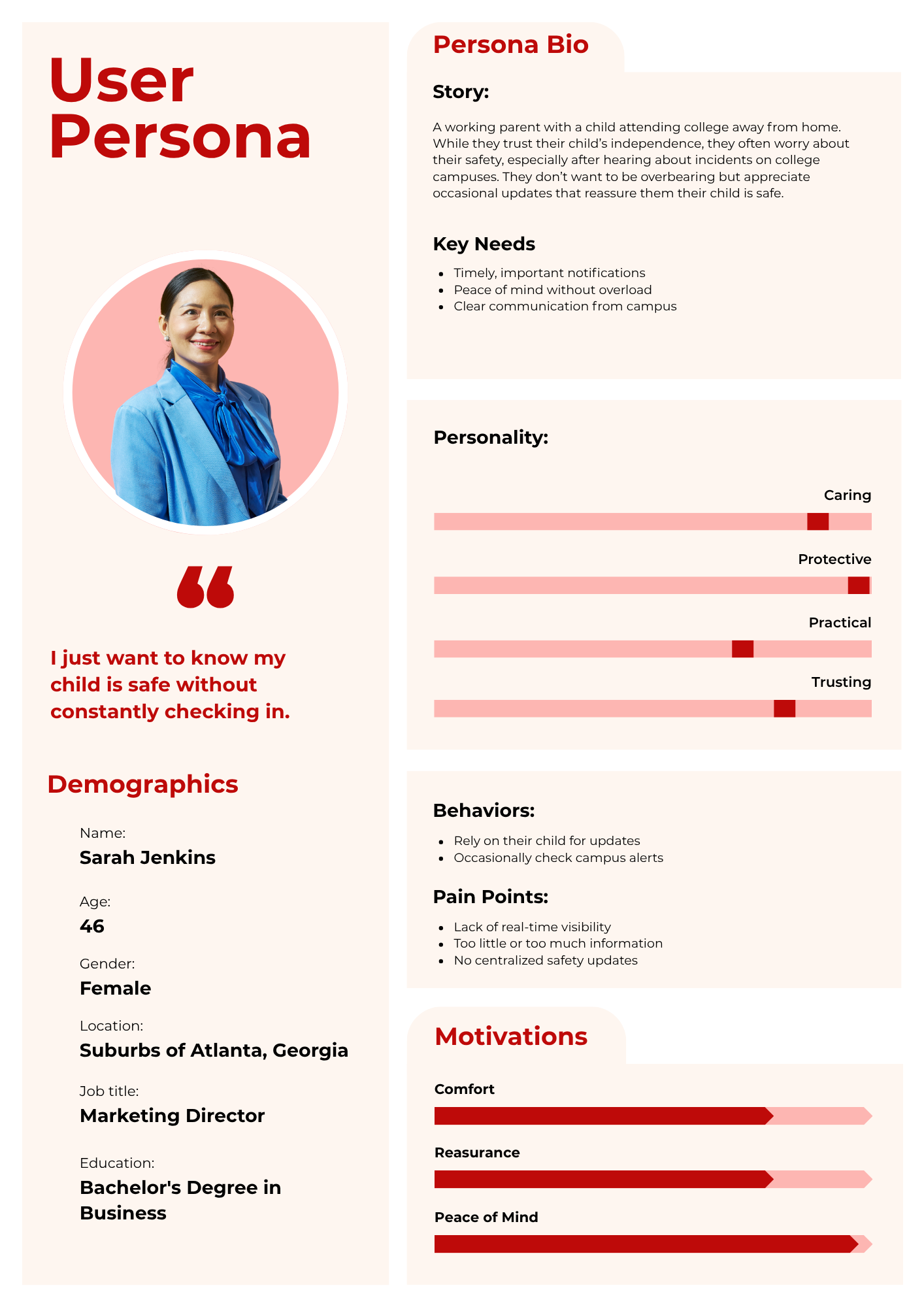
The student persona highlights the need for independence while still feeling safe when navigating campus, especially at night. The parent persona reflects a desire for reassurance and timely updates without feeling overwhelmed by constant communication.
Unique Feature Challenge
(Buddy System)
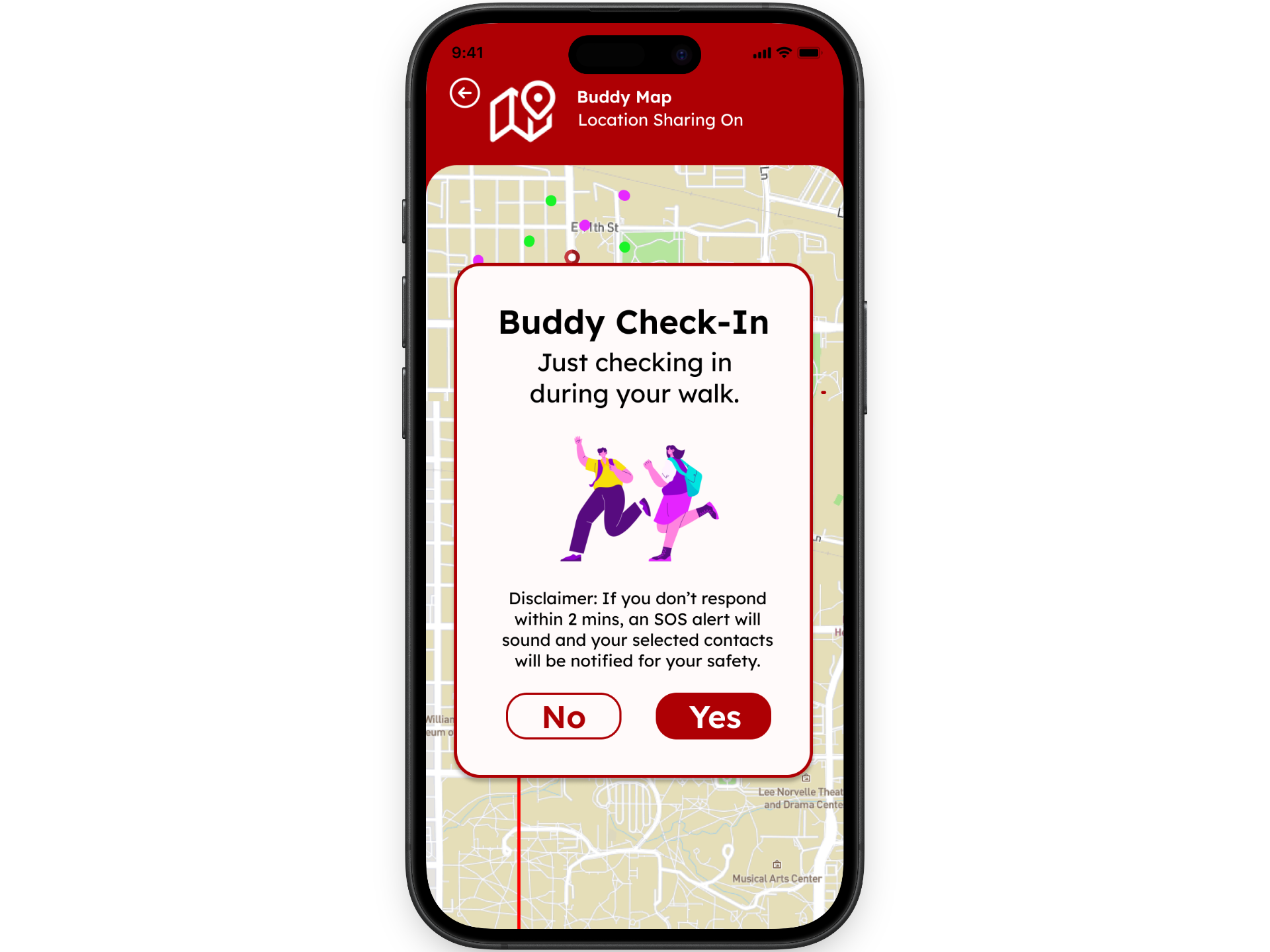
One of our assignments was to come up with a unique feature for the app. After several brainstorming sessions, meetings, and reviewing our user interviews and research, our team decided to focus on expanding the buddy system as the main feature of IUSafe.
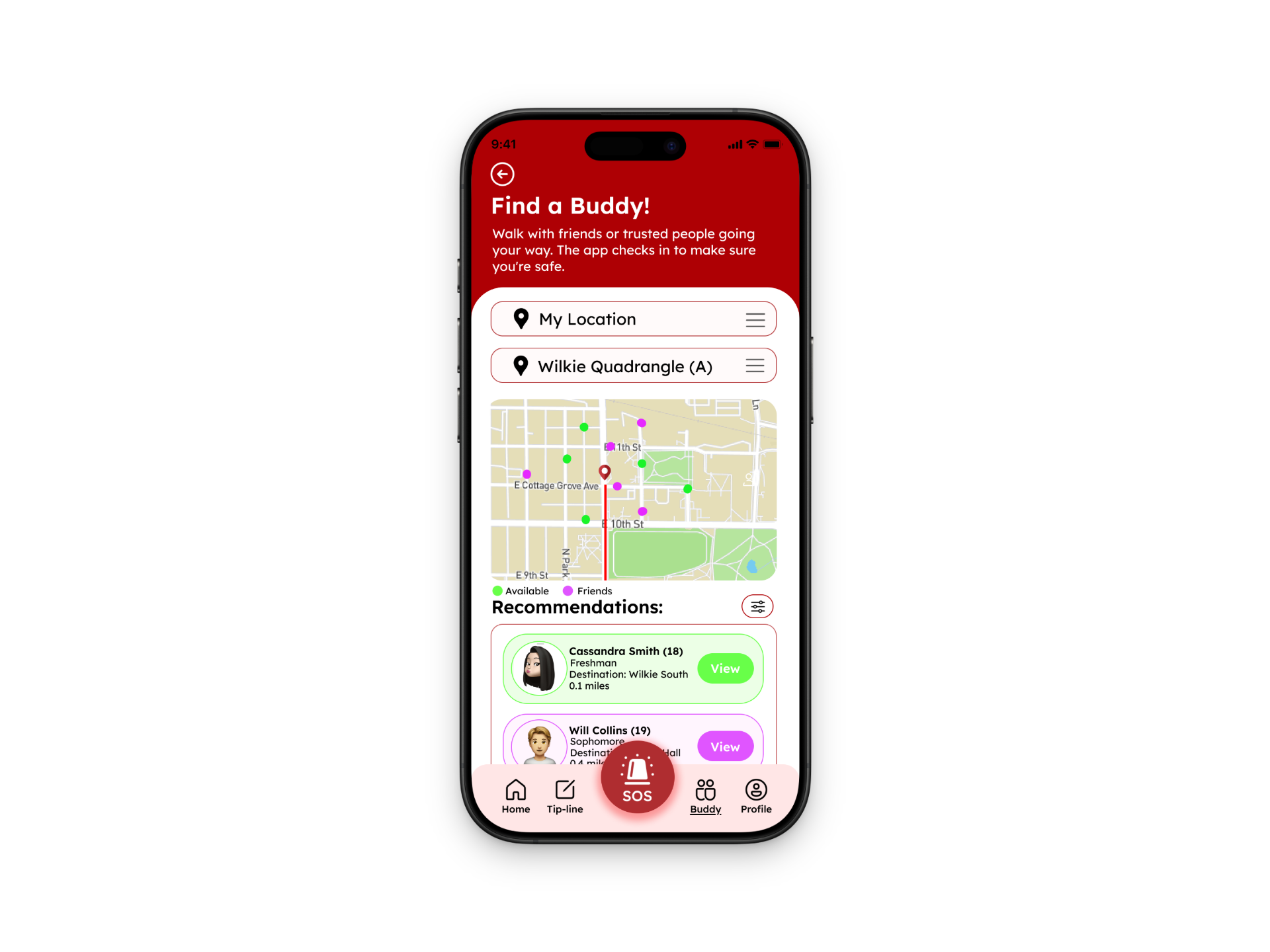
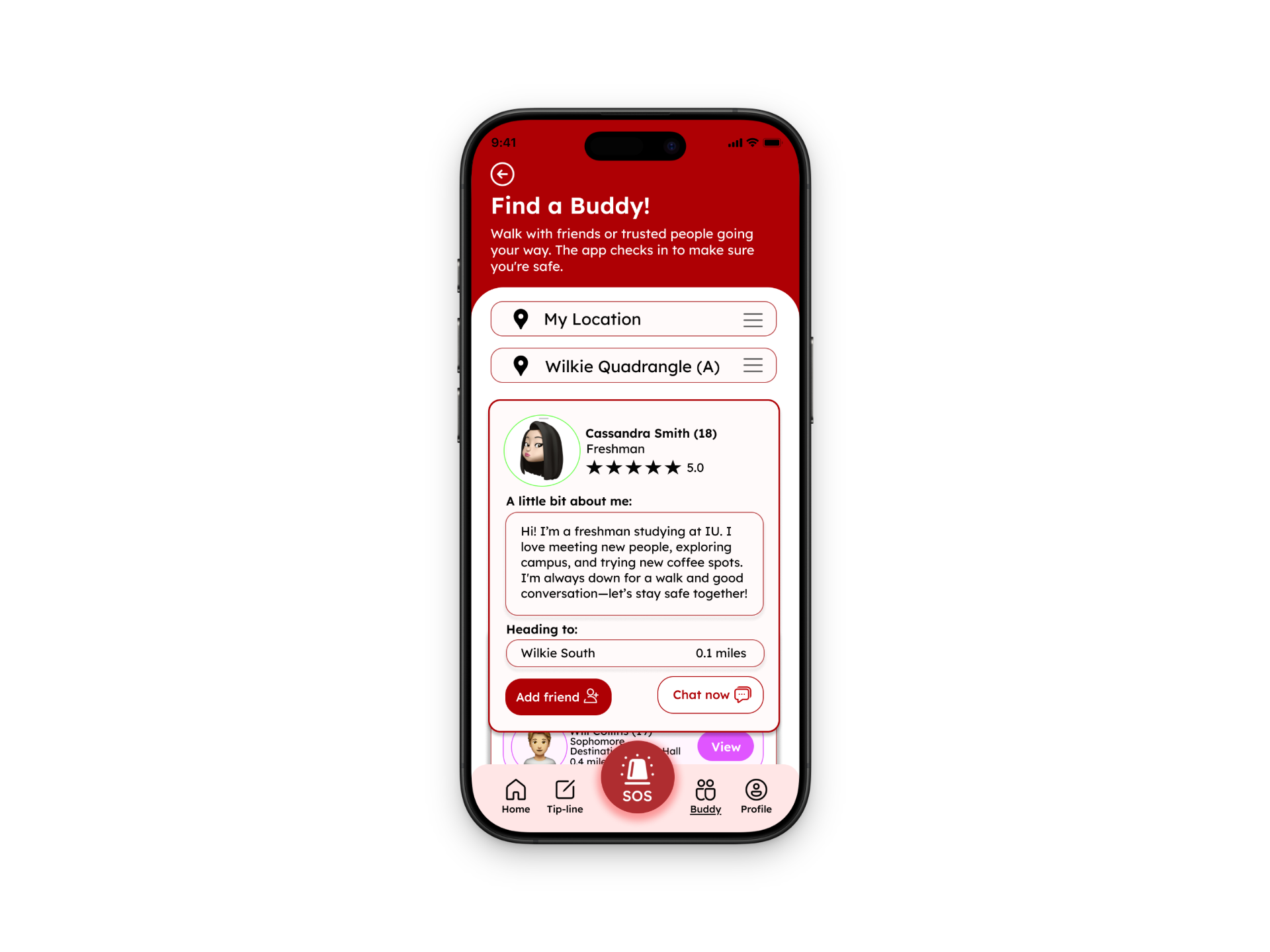
Description: This feature allows students to mark themselves as available to walk, view a short description of other users, and send a request to walk together. Once they connect, the app sets a meeting point where they can meet and walk to their destinations if they are nearby.
To make the feature safer and more trustworthy, we also added a safety check-in prompt. While students are walking, the app will occasionally ask, “Are you okay?” Users must respond by selecting yes or no. If there is no response within a certain amount of time, the app will automatically send an alert for assistance.
Manual Workaround
To demonstrate how the buddy system feature would work, we created a manual workaround video. This allowed us to simulate the app experience and show how students might interact with the feature in a real-life situation. Our actors and actresses did a great job bringing the concept to life and helping us visualize how the buddy system could work on campus. It was also a fun and lighthearted way for our team to test and present the idea.
How we simulated the Buddy System
We had two users imitate a real-life scenario using the Buddy System.
Used iMessage to simulate the app’s chatroom for buddy requests.
Included student descriptions and meeting point locations to coordinate the walk.
Implemented a safety check-in prompt during the walk, requiring users to respond “Yes” or “No” to confirm they were okay.
Once they reached their final destination, they split ways, just like they would in the app.
Pain Points and Issues
Concerns About Trust and Safety
Requires both users to coordinate
Meeting Point Confusion
Unclear End-of-Walk Process
“Are you okay?” notifications can become repetitive
Profile Descriptions
Proposed Improvements
Customizable Meeting Points: Allow users to manually select a meeting point or choose from suggested well-lit, high-traffic locations.
Buddy Verification System: Introduce a verification system where users can see mutual friends, university ID verification, or past ratings from previous walks to build trust.
Enhanced Notifications & Alerts: Improve the visibility of buddy requests and safety check-in prompts with vibration, sound alerts, and pop-up notifications to ensure users don’t miss them.
Better Buddy Matching Filters: Let users filter available buddies based on walking speed preference, same dorm, same major, or time availability to find a more suitable partner.

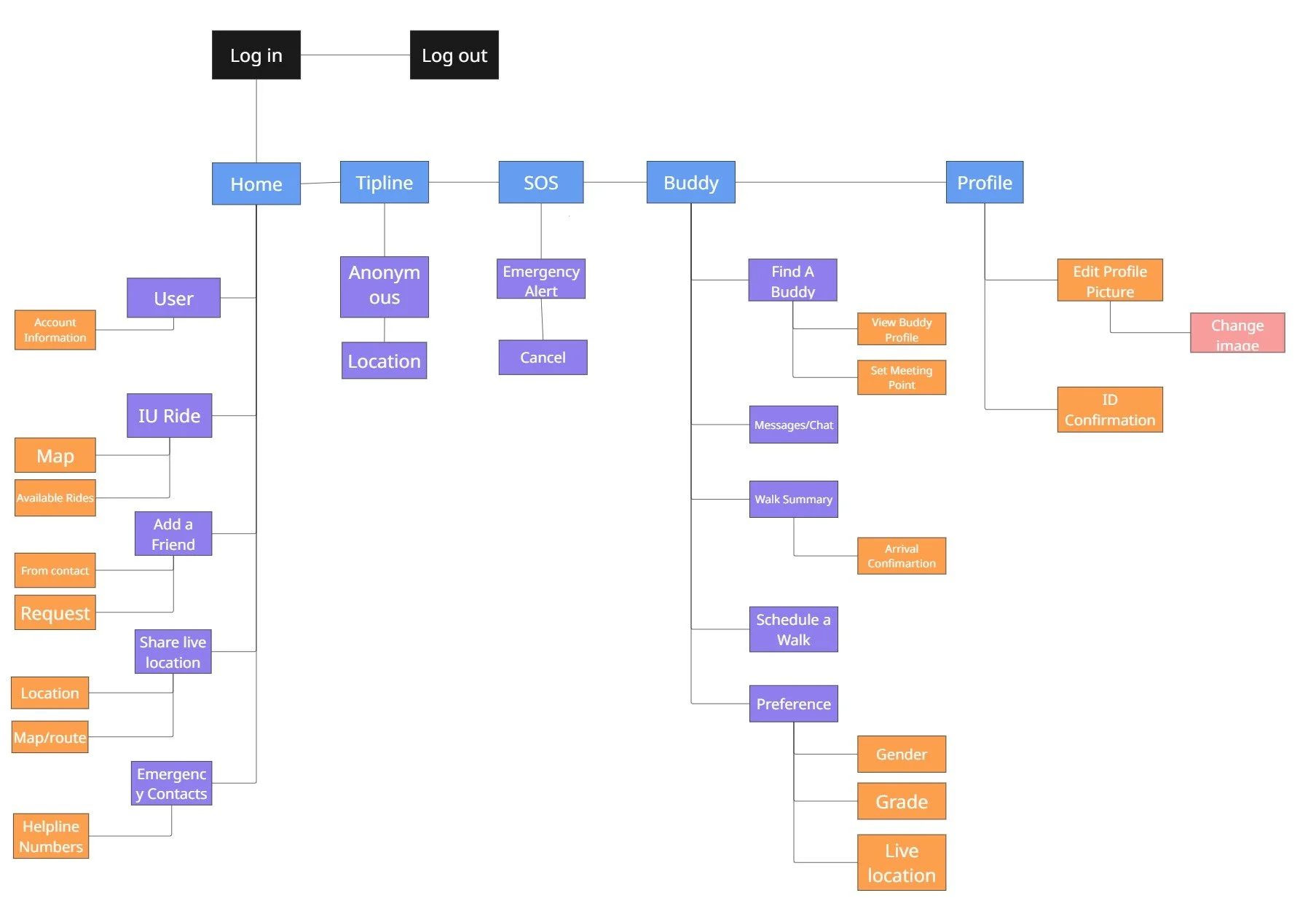
SITE MAP
Low Fidelity Prototypes
(Thought Process)
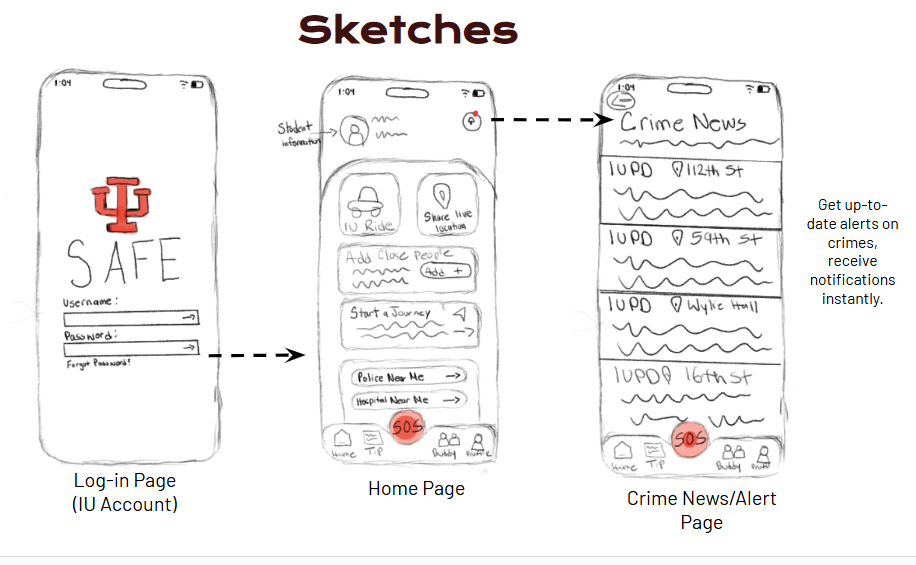
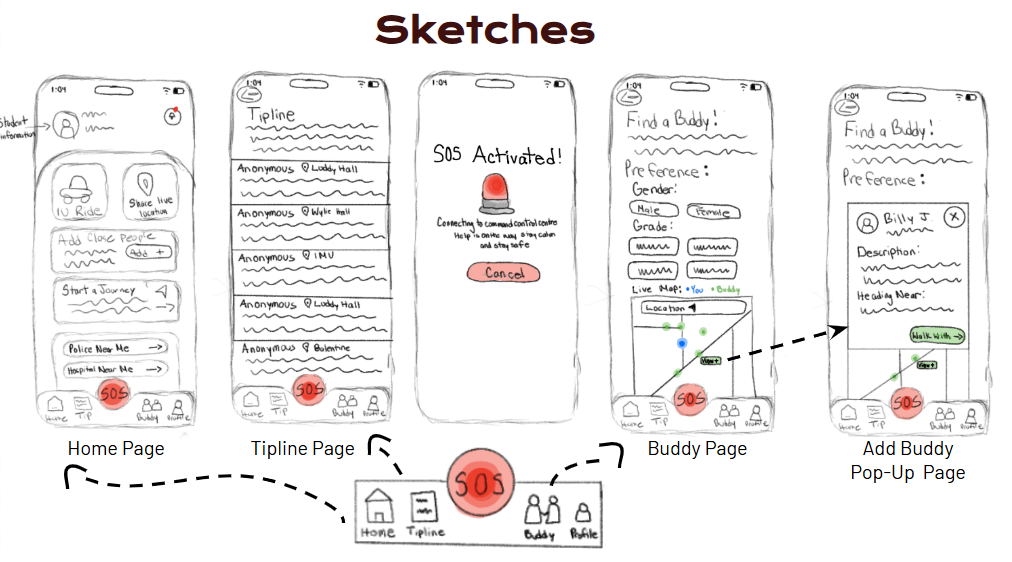
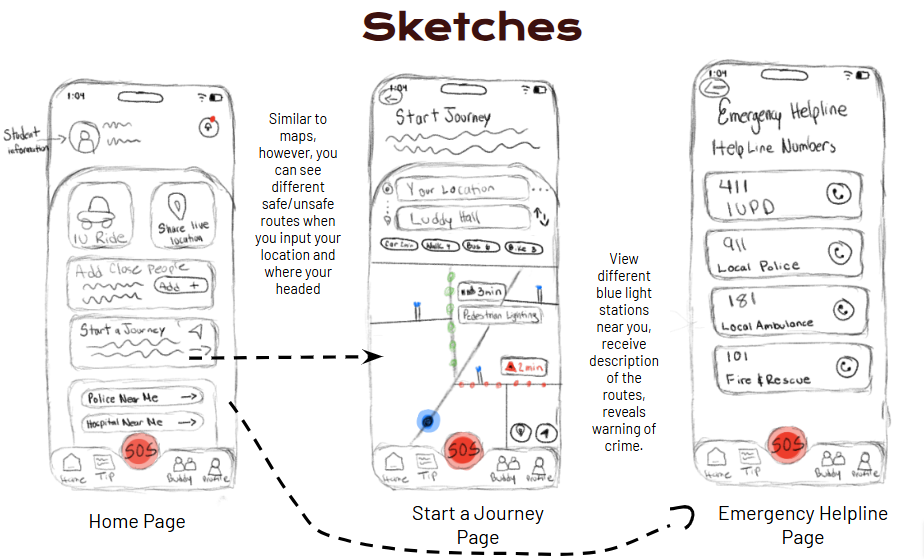
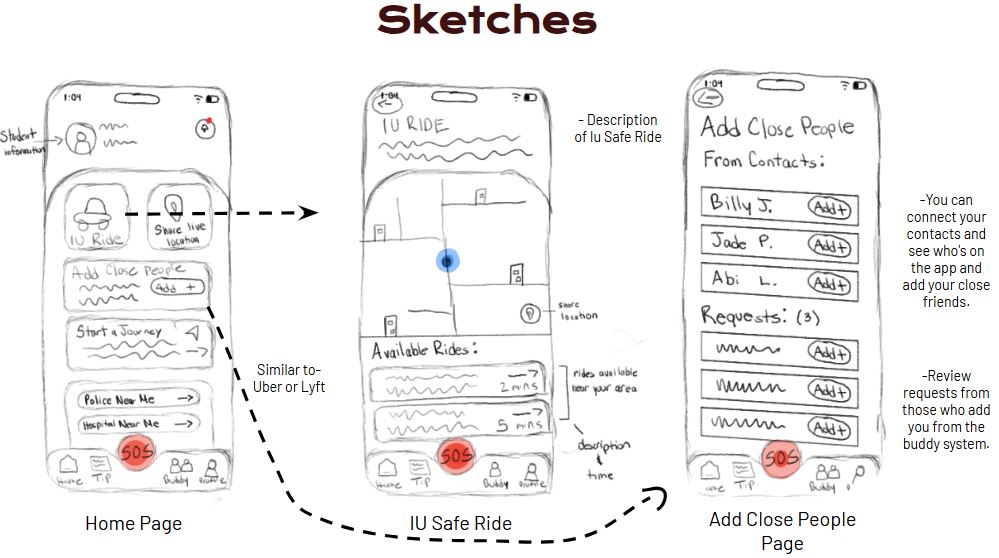
In the sketches, I carefully considered and incorporated the feedback we received from our users. We took the time to listen closely to their needs and concerns, ensuring that every suggestion was thoughtfully implemented. One major priority was to make the SOS button easily accessible and visible throughout the app, as we understand its critical role in ensuring user safety. While we’ve made significant progress, we are still refining and adding new ideas and features based on further user input to create a more comprehensive and effective app experience. Our goal is to maintain an ongoing dialogue with users to ensure that the app continues to meet their expectations and needs as we move forward.
Here below are the sketches I’ve designed:
Low-Fidelity Review with Stakeholders
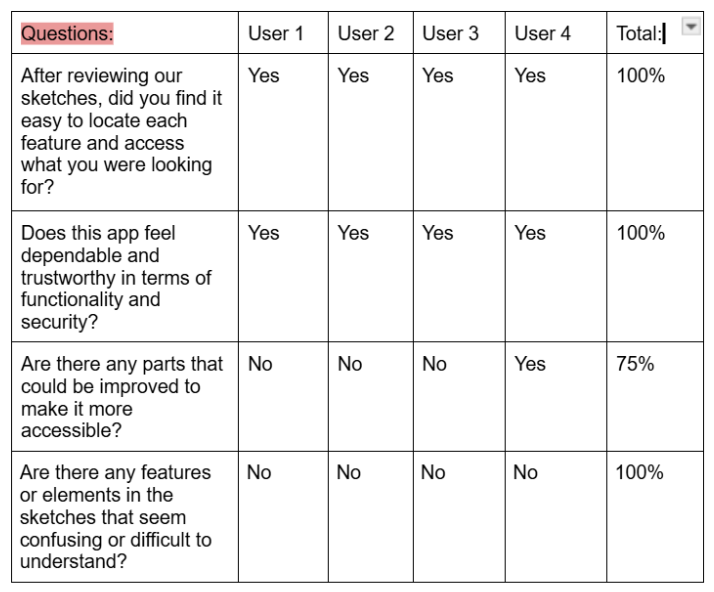
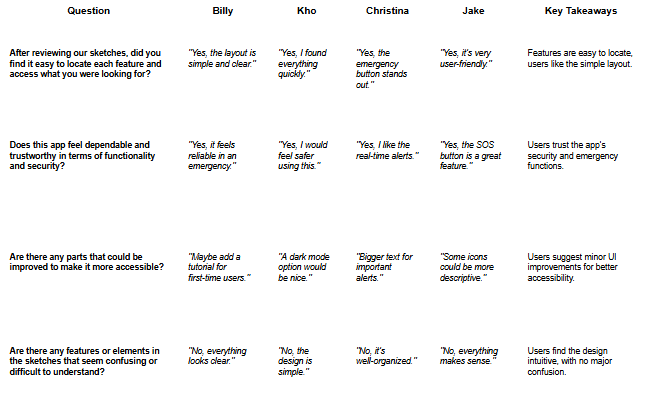
After designing the low-fidelity prototype, we wanted to return to our stakeholders to gather additional feedback. We shared the early designs with them and walked through how the app and its features would work. This gave us the opportunity to showcase our ideas, see how people reacted to them, and better understand what improvements could be made. Their feedback helped us think about how the design could be refined and made more useful for real users.
High-Fidelity Prototypes
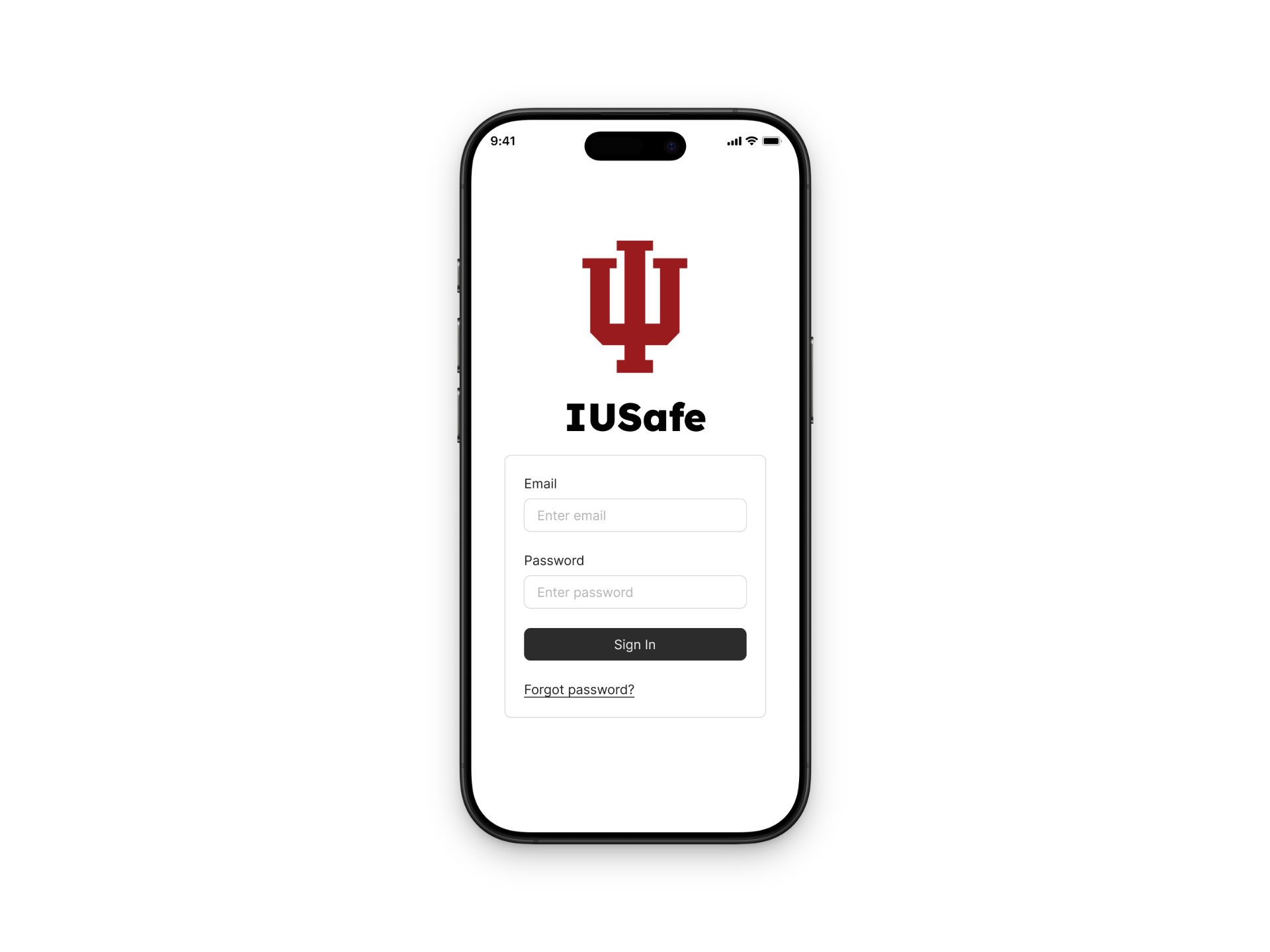
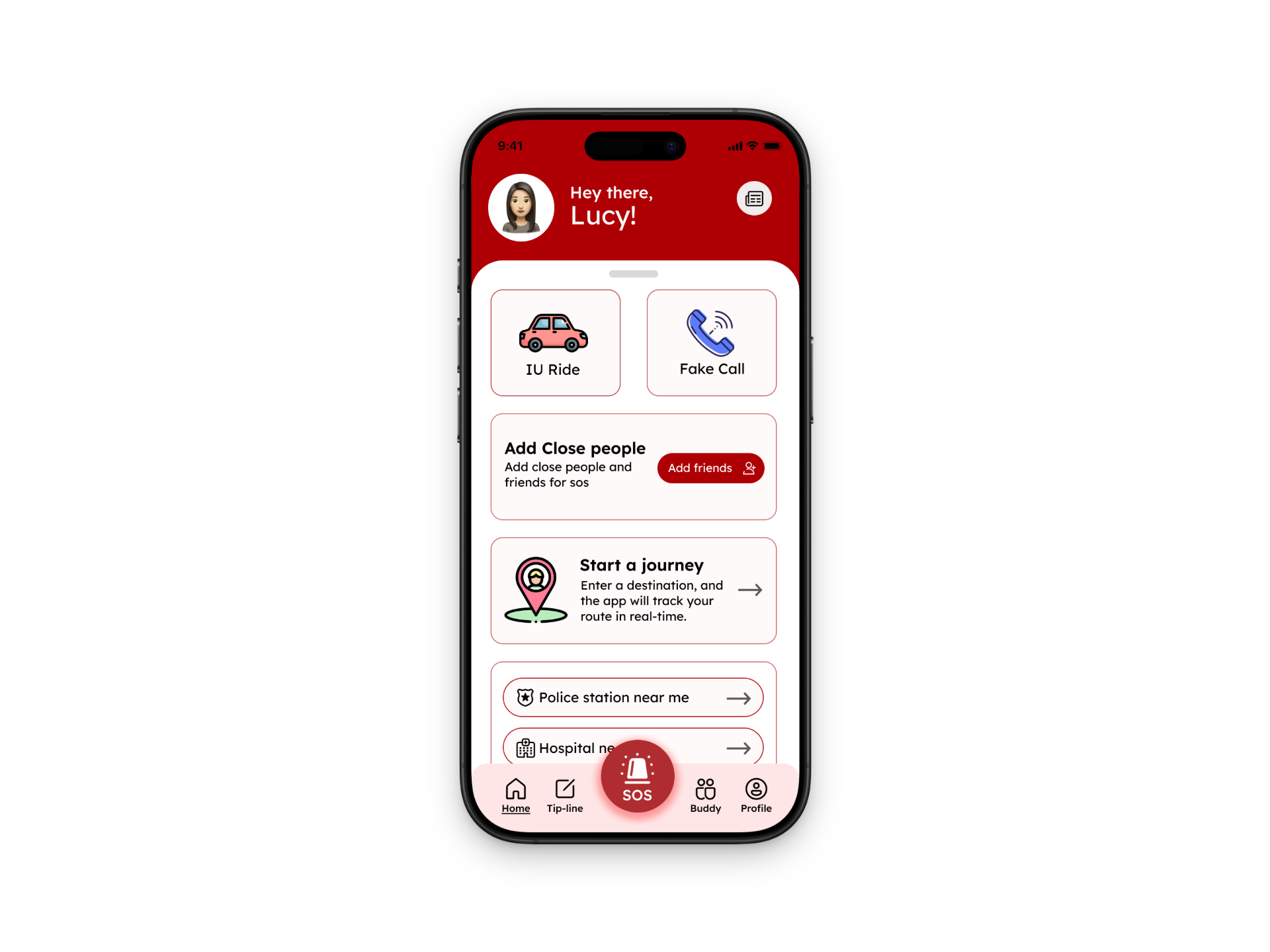
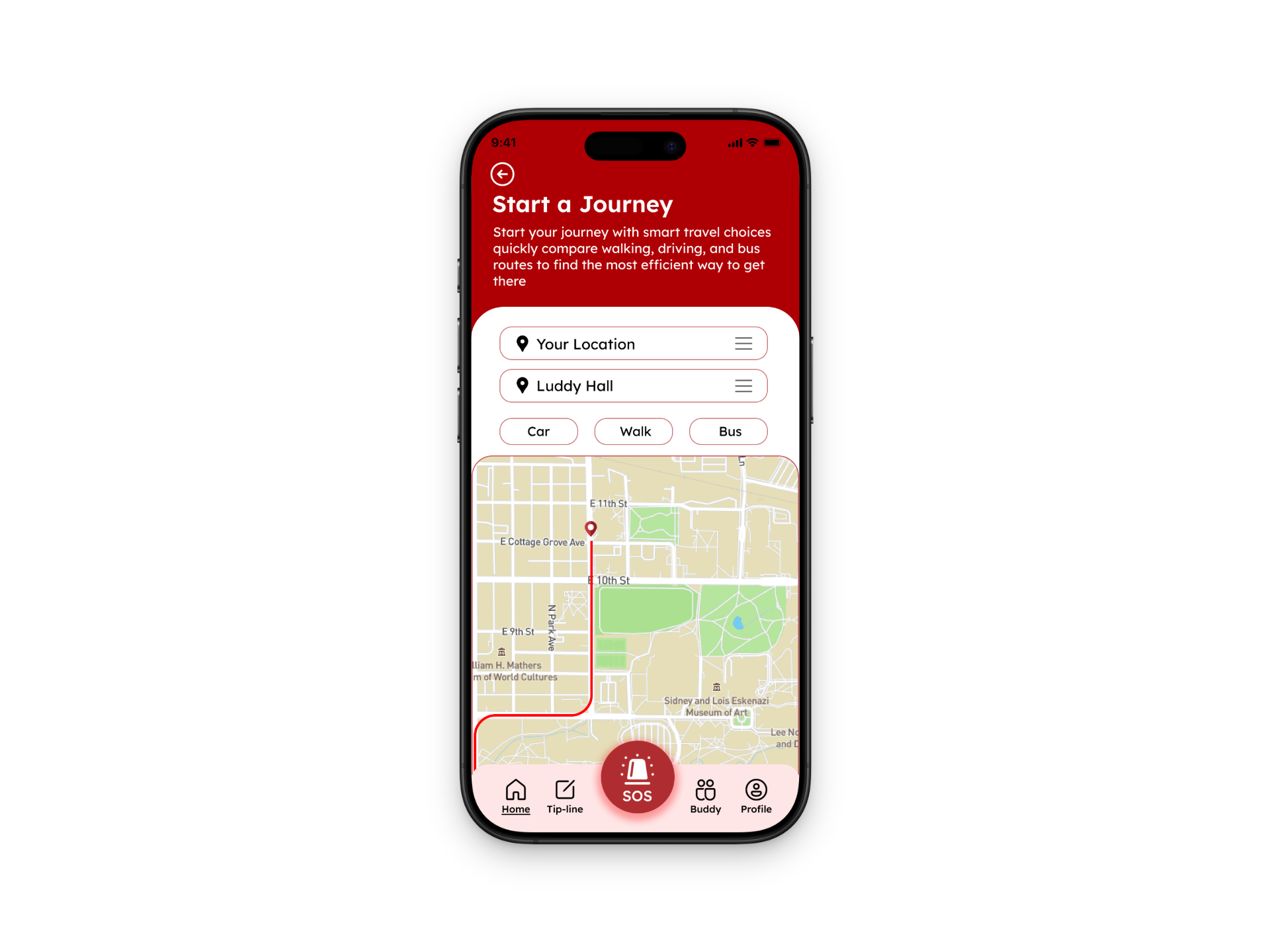
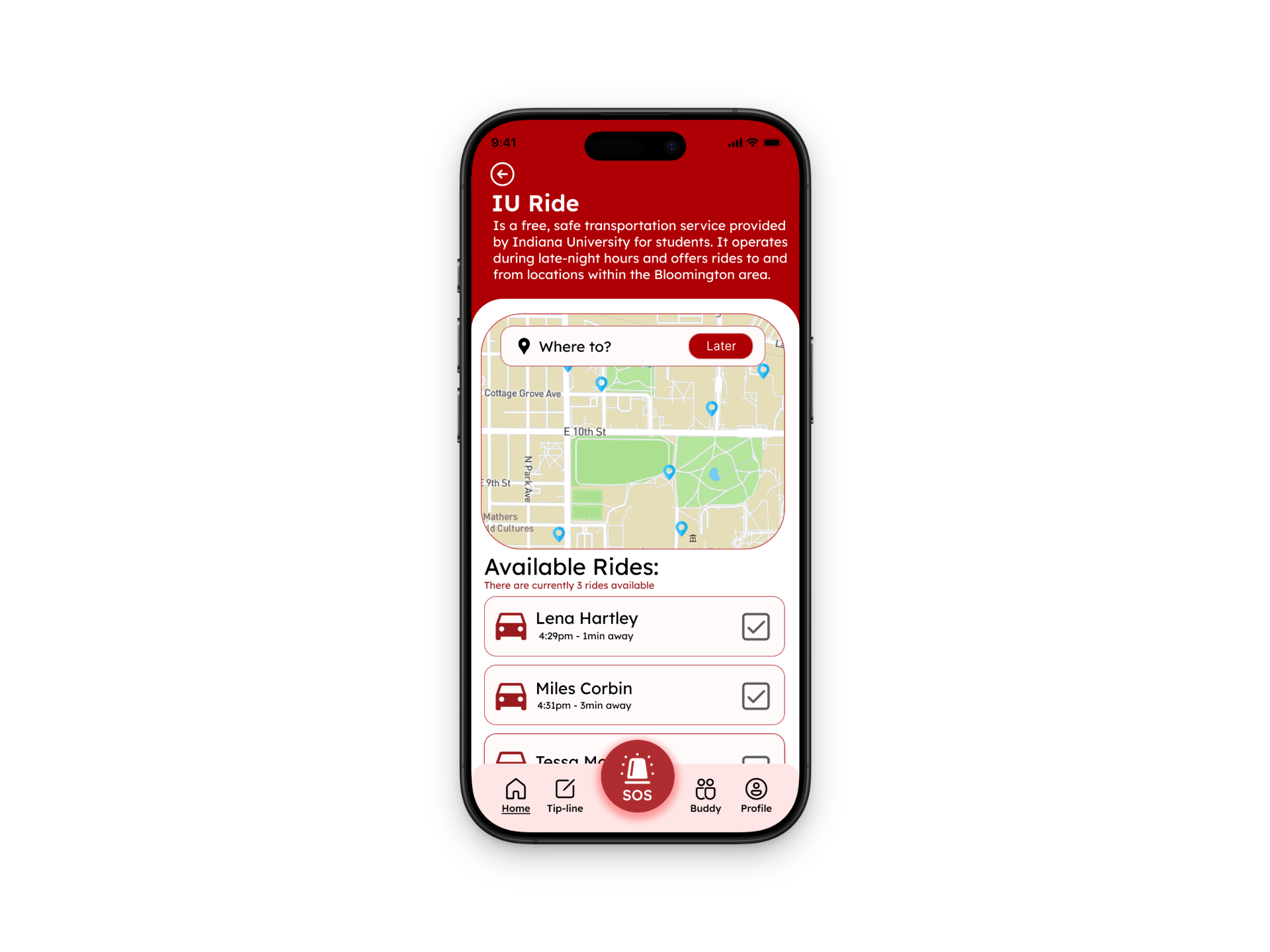
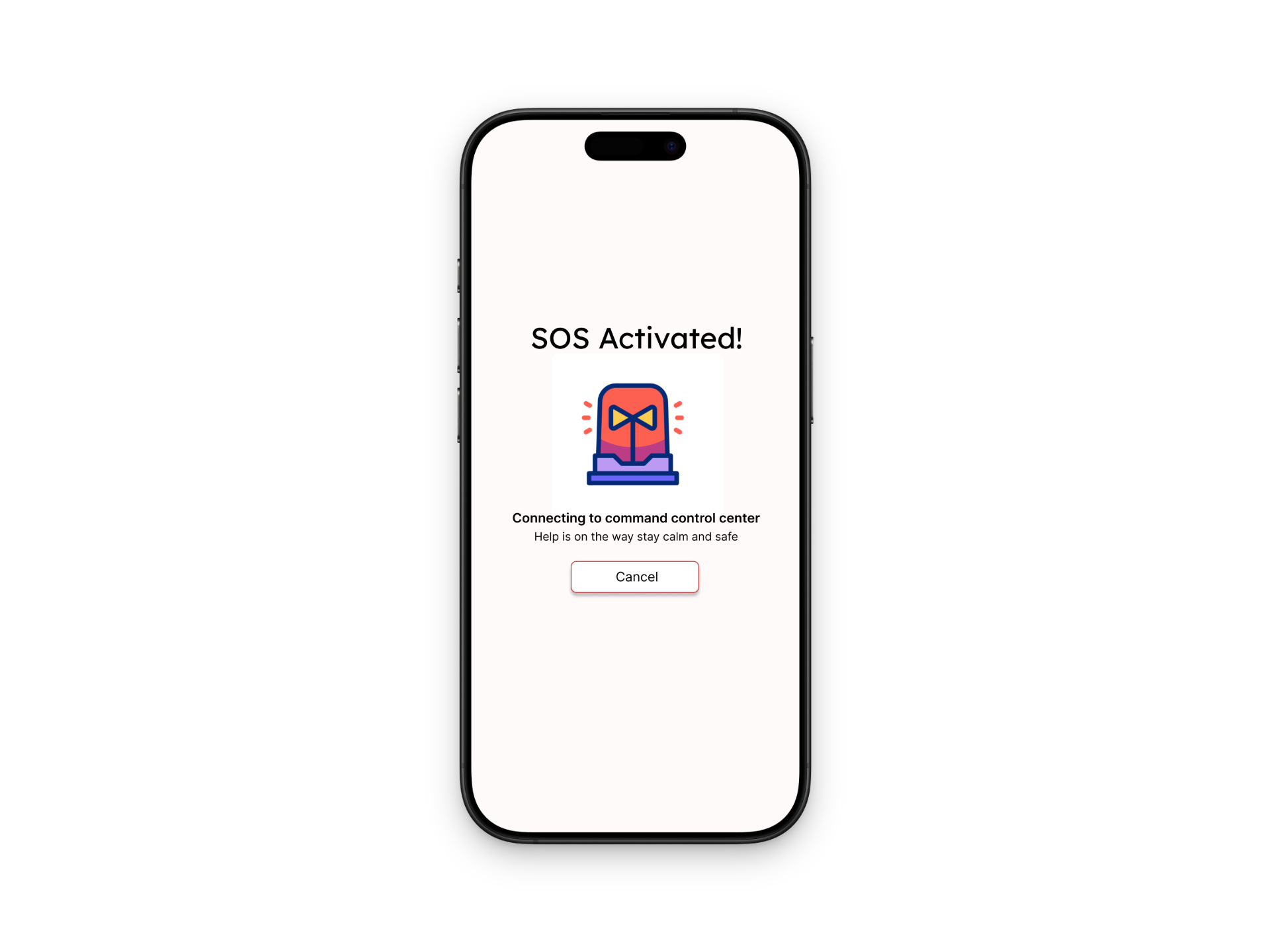
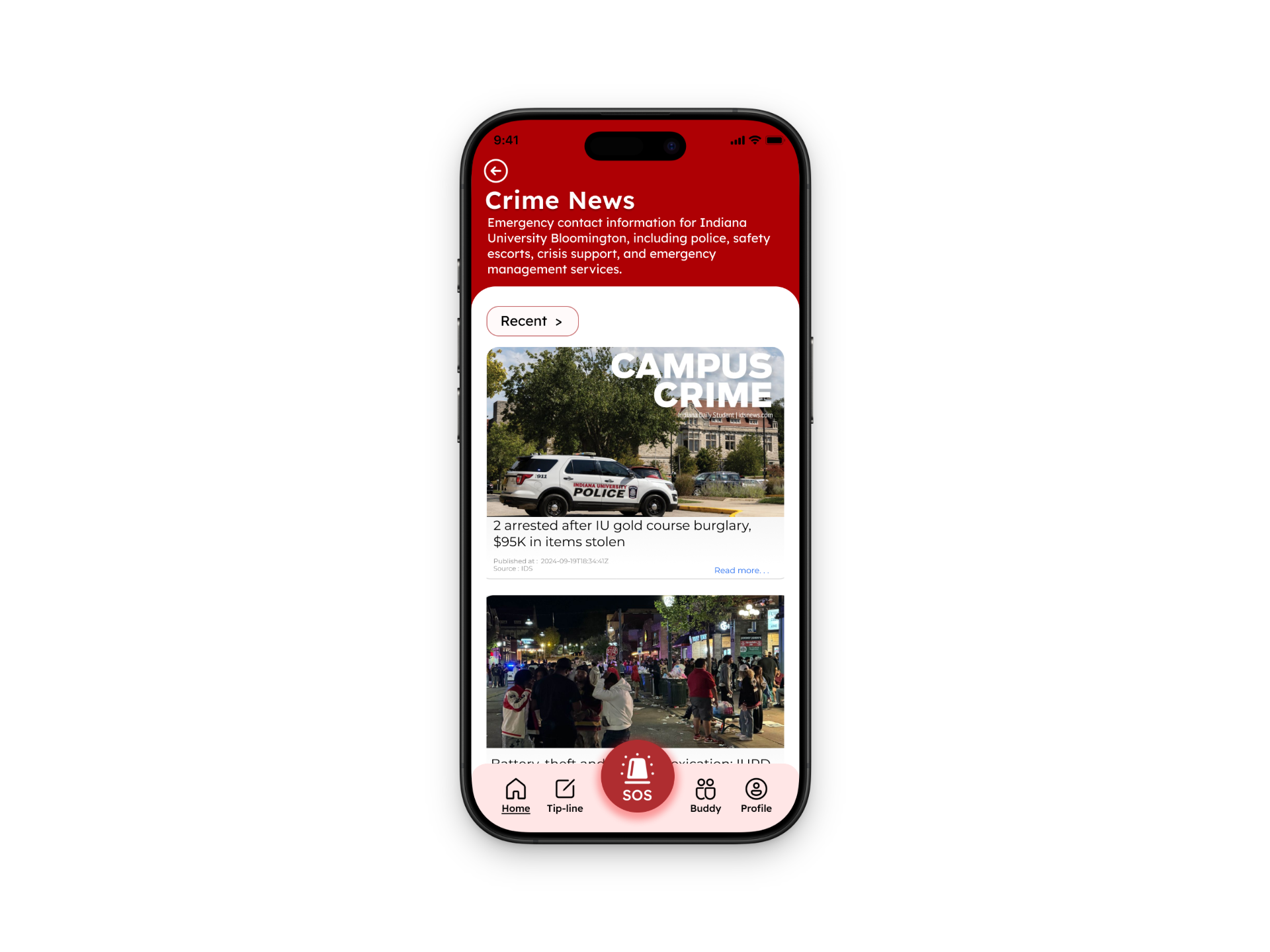
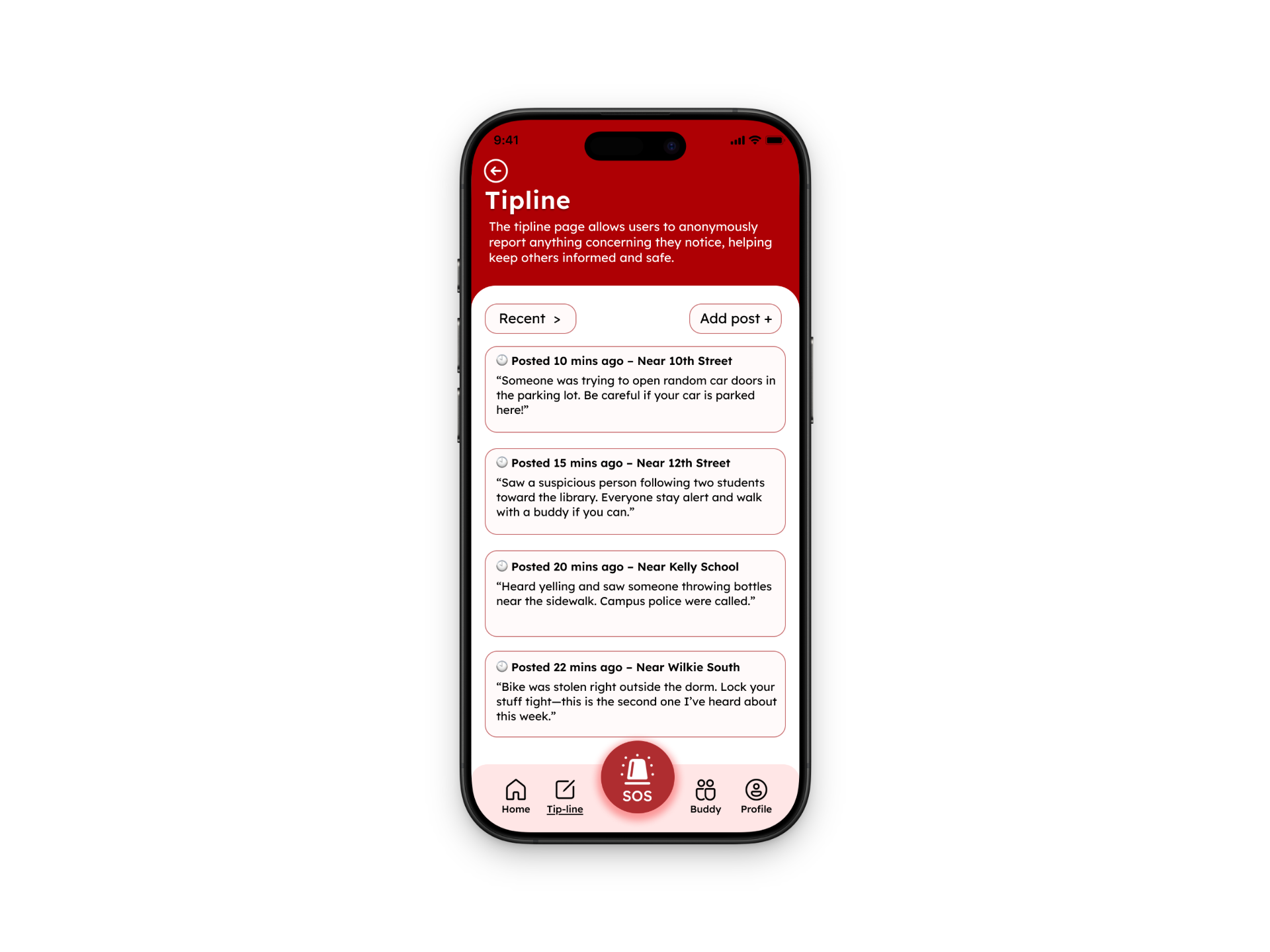
After refining our concepts through low-fidelity sketches and user feedback, we developed high-fidelity prototypes to bring the IU Safe app experience to life. These screens focused on clarity, trust, and ease of use-ensuring that students can quickly access safety features in moments that matter.
The high-fidelity designs showcase key interactions like the Buddy System, tipline reporting, and real-time alerts, all within a cohesive visual system. We prioritized intuitive navigation, clear information hierarchy, and a sense of reassurance through the UI. By moving into high fidelity, we were able to better test realistic user flows, refine micro-interactions, and communicate the product vision more effectively to stakeholders.
Reflection
Looking back on this project, one of the most impactful takeaways was how much design decisions are rooted in trust and emotion-especially when it comes to safety. This wasn’t just about creating a functional app, but about designing something that users would rely on in vulnerable moments.
Throughout the process, I learned the importance of continuously going back to users, even after initial concepts felt “done.” Each round of feedback helped us simplify, clarify, and strengthen our ideas. The Buddy System, in particular, evolved from a simple feature into a core experience that reflects real student needs.
This project also reinforced my growth as a designer—thinking more critically about user behavior, being open to iteration, and understanding that strong design is not about having the perfect first idea, but about shaping it over time through research, testing, and reflection.